
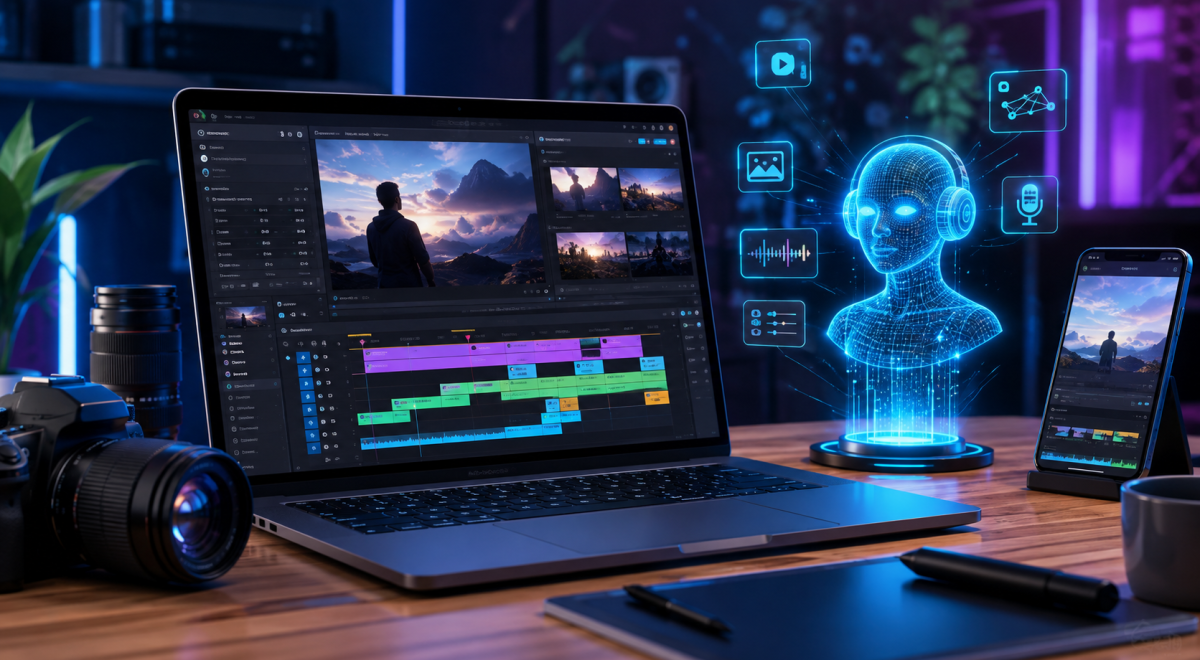
AI for Video Creation in 2026 is making video production easier and more accessible for beginners, content creators, marketers, and businesses.
Tasks that once required expensive software, advanced editing skills, and many hours of work can now be completed with the help of artificial intelligence.AI can help with almost every stage of the video creation process, including generating ideas, writing scripts, creating visuals, producing voiceovers, adding subtitles, editing footage, and improving the final video.
This allows creators to spend more time developing their ideas instead of dealing with repetitive editing tasks.For businesses and content creators, AI video tools can also make it easier to produce content consistently for platforms such as YouTube, TikTok, Instagram, and websites. However, getting good results still requires creativity, planning, and human review.
In this complete beginner’s guide, you will learn how to use AI for video creation in 2026, the most useful ways to include AI in your workflow, the benefits and limitations of AI video tools, and practical tips for creating better videos.
What Is AI for Video Creation?
AI for Video Creation refers to using artificial intelligence tools to help produce, edit, and improve video content. Instead of completing every part of the production process manually, creators can use AI to automate or simplify specific tasks.
For example, AI can turn a written idea into a video script, generate scenes from text descriptions, create realistic voiceovers, remove unwanted background noise, generate subtitles, and suggest edits. Some advanced tools can even create complete videos from a simple text prompt.The goal is not necessarily to replace human creativity.
Instead, AI can act as a production assistant that helps creators save time and complete technical tasks more efficiently.
Learn more about artificial intelligence and its capabilities from IBM’s guide to artificial intelligence.
Why AI Video Creation Matters in 2026
Video has become one of the most important forms of online content, but producing high-quality videos can require significant time and resources. AI is helping reduce some of these barriers by making video creation faster and easier.
A beginner can use AI to develop a video concept, create a script, generate supporting visuals, and prepare subtitles without needing advanced technical knowledge. Businesses can also use AI to produce marketing videos, product demonstrations, educational content, and social media videos more efficiently.
As AI technology continues to improve, learning how to use these tools can give creators a valuable advantage while still allowing them to maintain their own creative style and ideas.
1. Use AI to Generate Video Ideas
One of the easiest ways to start using AI for video creation in 2026 is to generate video ideas. Coming up with fresh topics can be difficult when you need to publish content regularly, but AI can provide different ideas based on your niche, target audience, and goals.
For example, a technology creator can ask AI to suggest educational video topics, while a small business can request ideas for product demonstrations, tutorials, customer questions, or promotional videos.Instead of using every idea exactly as AI provides it, review the suggestions and select the ones that fit your audience. Your own experience and understanding of your viewers should guide the final topic.
2. Use AI to Write Video Scripts
Writing a good video script can take considerable time, especially when you need to create content consistently.
AI can help turn a basic idea into an organized script with an introduction, main points, examples, and a conclusion.You can also ask AI to adjust a script for different video lengths or audiences. For example, a long explanation can be transformed into a shorter script suitable for a social media video.
However, AI-generated scripts should be edited before recording or publishing. Adding personal experiences, original opinions, examples, and a natural speaking style can make the final video more authentic and engaging.
3. Use AI to Create Video Visuals
AI video tools can help you create visual content even when you do not have professional cameras, actors, or complicated editing equipment.
Depending on the tool, you can generate images, animated scenes, backgrounds, or short video clips from written descriptions.
For example, you can describe a futuristic office, a product demonstration, or a particular scene, and an AI tool can generate visual material based on your instructions. This can be especially useful for educational videos, marketing content, storytelling, and social media posts.
When creating AI-generated visuals, give the tool clear instructions about the subject, environment, camera angle, lighting, and visual style. You should also review the results carefully because AI-generated visuals may sometimes contain unrealistic details or mistakes.
4. Use AI to Generate Voiceovers
Creating a professional voiceover traditionally requires recording equipment, a quiet environment, and sometimes a professional voice actor. AI voice-generation tools can simplify this process by converting written scripts into natural-sounding speech.You can choose different voices, languages, accents, and speaking styles depending on the tool you use.
This makes AI voiceovers useful for tutorials, explainer videos, presentations, advertisements, and faceless YouTube channels.However, do not rely entirely on AI-generated voices without reviewing the result. Adjust the script and pronunciation when necessary, and make sure you have the appropriate rights to use the selected AI voice, especially for commercial content.
5. Use AI to Add Captions and Subtitles
Captions are important because many people watch online videos without sound. AI can automatically analyze spoken audio and convert it into text, making it much faster to create subtitles.
Modern AI tools can also recognize different languages and automatically synchronize captions with the speaker’s voice. After generating the captions, always review them for spelling, punctuation, names, and technical terms because automatic transcription can still make mistakes.
Adding accurate captions can make your videos easier to understand and accessible to a wider audience.
6. Use AI to Edit Videos Faster
Video editing is one of the areas where AI can save creators significant amounts of time. AI-powered editing tools can identify important sections of footage, remove unnecessary pauses, improve audio, detect scenes, and sometimes create short clips from longer videos
.For example, if you record a 20-minute tutorial, an AI editing tool may help identify useful sections and turn them into shorter clips for platforms such as TikTok, Instagram, or YouTube Shorts.AI editing does not mean you should publish the first version automatically. Watch the final video yourself and make manual adjustments where necessary.
Human review is still important for maintaining quality and ensuring that the video matches your intended message.
7. Use AI to Repurpose Existing Videos
AI can help you get more value from videos you have already created. Instead of producing completely new content for every platform, you can use AI tools to transform one long video into multiple pieces of content.
For example, a long YouTube video can be converted into several short clips, captions, social media posts, or highlights. This can help creators maintain a consistent publishing schedule while reducing the amount of work required.
When repurposing content, make sure each version fits the platform where it will be published. A video designed for YouTube may need a different format, length, introduction, or aspect ratio before being used on another platform.
8. Use AI to Improve Video Quality
AI can also help improve the technical quality of your videos. Depending on the tool, AI may be able to reduce background noise, improve speech clarity, enhance resolution, stabilize footage, or adjust certain visual elements.
These features can be particularly useful for beginners who are working with basic equipment such as a smartphone. Instead of purchasing expensive equipment immediately, creators can use AI-assisted tools to improve some aspects of their existing footage.
However, AI enhancement should be used carefully. Excessive processing can make video or audio look unnatural, so always compare the enhanced version with the original before publishing.
Best Practices for Using AI for Video Creation in 2026
Using AI for video creation can save time, but getting professional results requires more than simply entering a prompt and publishing the output. Start with a clear goal for every video and understand who you are creating it for.
Use AI to handle repetitive tasks while keeping important creative decisions under your control. Review AI-generated scripts, visuals, voiceovers, captions, and edits before publishing. This helps you catch mistakes and ensures that the final video matches your brand and audience.
You should also keep your videos original and useful. AI can help with production, but your own ideas, experience, storytelling, and creativity are what make your content valuable.
Benefits of Using AI for Video Creation
One of the biggest benefits of AI video creation is the amount of time it can save. Tasks that previously required hours of manual work can often be completed much faster with AI-assisted tools.AI can also reduce the technical barriers for beginners.
You do not necessarily need advanced editing skills to create scripts, subtitles, voiceovers, visuals, or short video clips. This makes it easier for individuals and small businesses to experiment with video content.Another benefit is consistency. Creators can use AI to organize their workflow and produce content more regularly across different platforms.
Limitations of AI Video Creation
Although AI can make video production easier, it still has limitations. AI-generated content can contain factual errors, unnatural visuals, incorrect pronunciations, or other mistakes.
The quality of the result also depends heavily on the instructions given to the tool.Another important limitation is originality. If many creators use similar AI-generated templates and ideas, their videos can start to look repetitive.
For this reason, human creativity and editing remain important.Creators should also check the terms and licensing rules of every AI tool they use, especially when creating videos for commercial purposes.
How Beginners Can Start Using AI for Video Creation
Beginners do not need to learn every AI video tool at once. Start by choosing one simple task, such as generating video ideas, writing scripts, creating captions, or editing short clips.
Once you understand how that tool works, gradually add other AI-assisted tasks to your workflow. A simple process could be creating an idea, generating a script, producing the video, adding captions, reviewing the result, and then publishing it.
The most important step is to practice. The more videos you create, the better you will understand how to give AI clear instructions and how to combine AI assistance with your own creativity.
The Future of AI Video Creation
AI video technology is likely to become more capable as new tools improve their ability to understand text, images, audio, and video. Future AI systems may make it possible to create more detailed scenes, realistic characters, and customized videos with less manual work.
However, human creativity is unlikely to become irrelevant. The strongest video creators will be those who know how to use AI as a tool while maintaining their own ideas, storytelling, and unique perspective.
Conclusion
If you also want to improve the visibility of your website, check out our guide on how to improve website SEO in 2026.
AI for Video Creation in 2026 gives beginners and experienced creators new ways to produce video content faster and more efficiently.
From generating ideas and scripts to creating visuals, voiceovers, captions, and edits, AI can simplify many parts of the production process.The best approach is to use AI as an assistant rather than depending on it completely.
Review everything it produces, add your own creativity, and make sure your final videos provide real value to your audience.If you are new to AI video creation, start with one simple tool and one clear goal. As you gain experience, you can gradually build a complete AI-assisted video production workflow.
Frequently Asked Questions About AI for Video Creation
Can beginners use AI to create videos?
Yes. Beginners can use AI tools to generate ideas, write scripts, create visuals, produce voiceovers, add captions, and assist with video editing without having advanced technical skills.
Can AI create a complete video?
Some AI platforms can create large parts of a video from text instructions, but human review and editing are still recommended to improve accuracy, quality, and originality.
Is AI video creation free?
Some AI video tools offer free plans or limited free features, while others require a subscription or charge based on usage. Check the current pricing and limitations before choosing a tool.
Can AI-generated videos be used for business?
Yes, AI-generated videos can be used for many business purposes, but you should check the AI tool’s licensing terms and make sure that the content you publish complies with applicable copyright and platform rules.